

Product — a tour of what ships
Captures of the product as it ships, with demo data in place of customer names.
Three screens instead of three tickets
These are captures of Fenwave as it ships, with demo data in place of customer names. A cluster, a pipeline run, a scan.
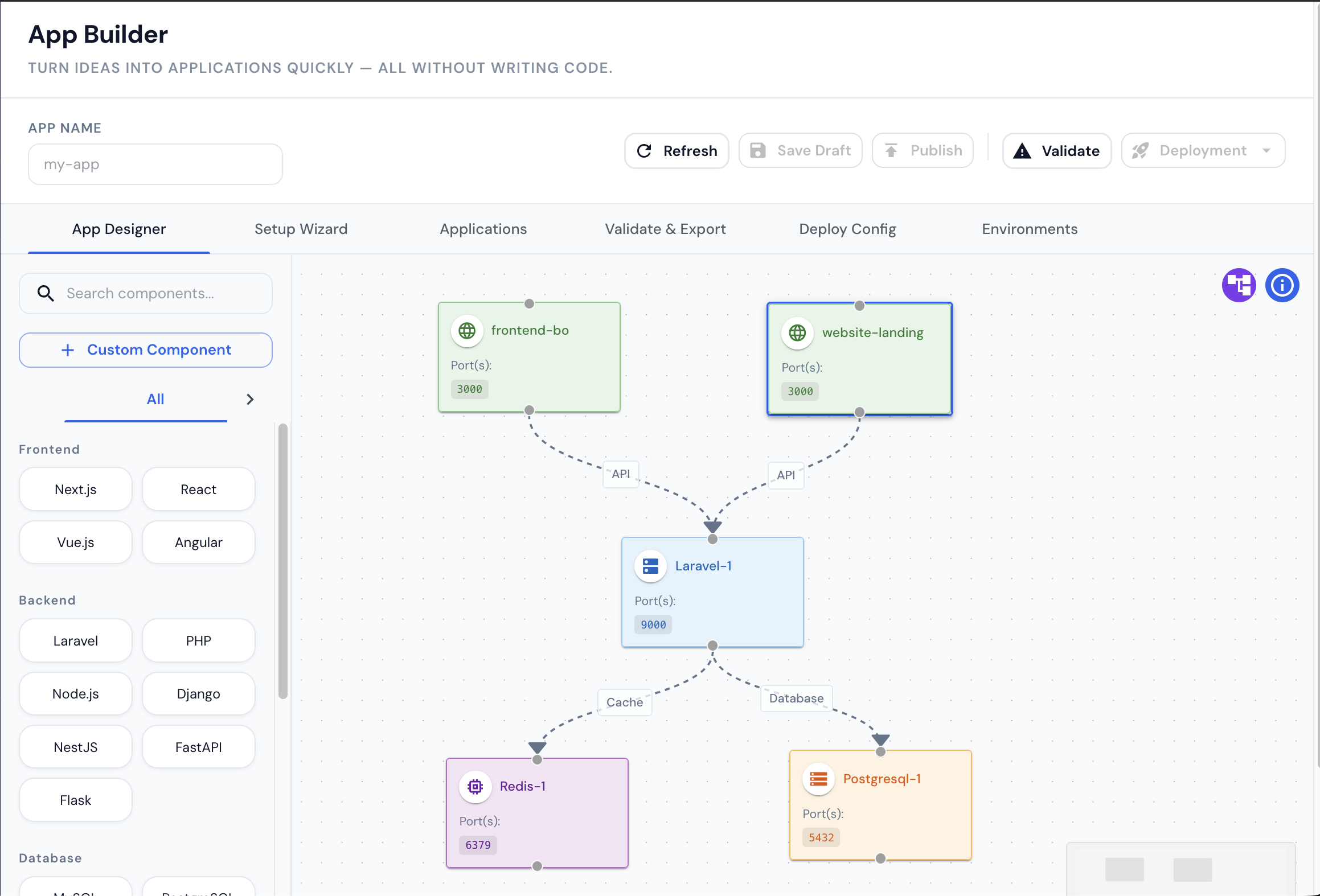
Describe the service. Fenwave writes the YAML.
Drag in a frontend, an API, a database and a cache, then draw the links between them. Fenwave generates the Docker Compose file for laptops and the Helm chart for the cluster, from the same canvas. Nobody has to learn either format to hand over a running stack.
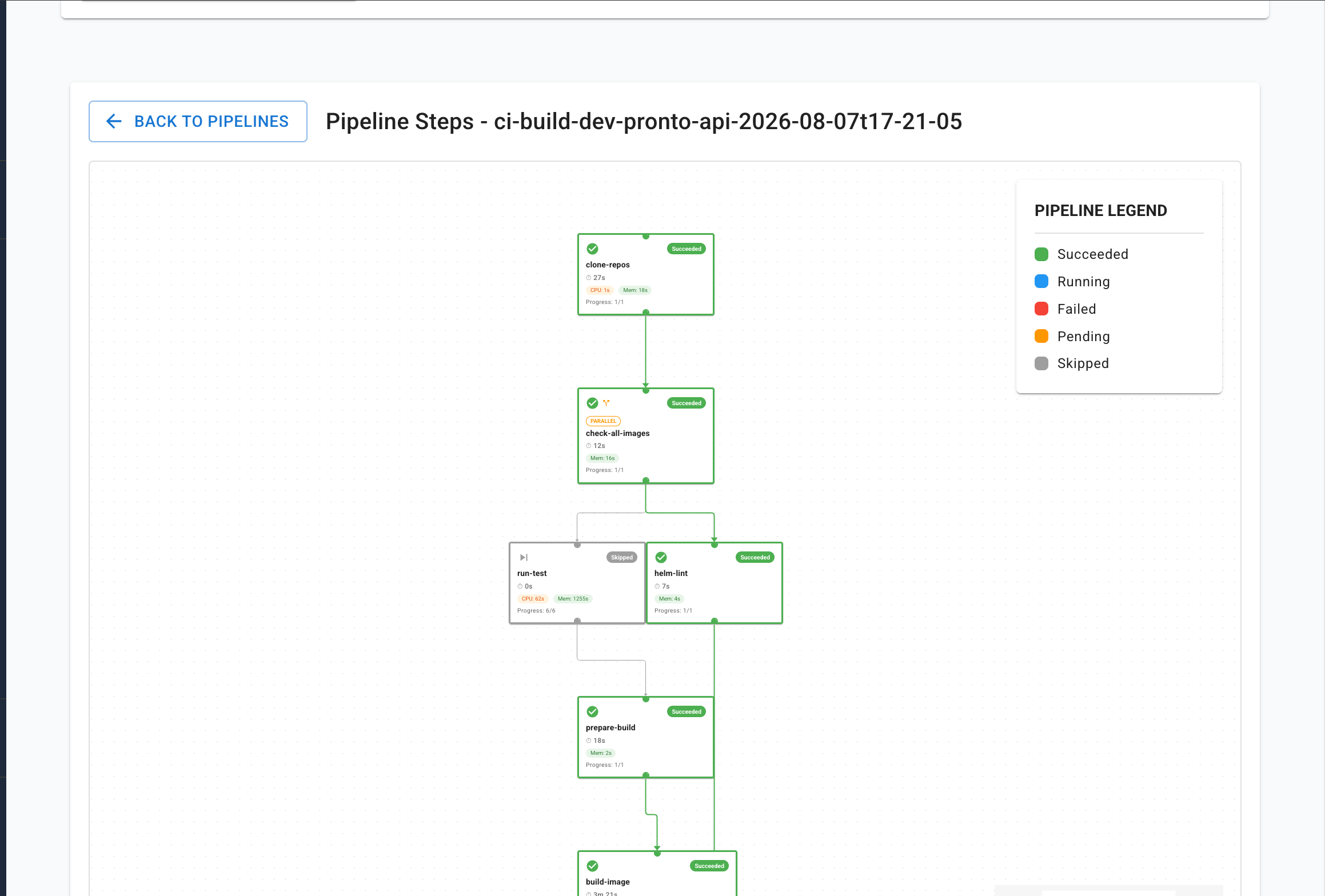
Every run, step by step
A build is a graph, not a log file. See what succeeded, what was skipped and what each step cost in CPU and memory — then open any step for its logs.
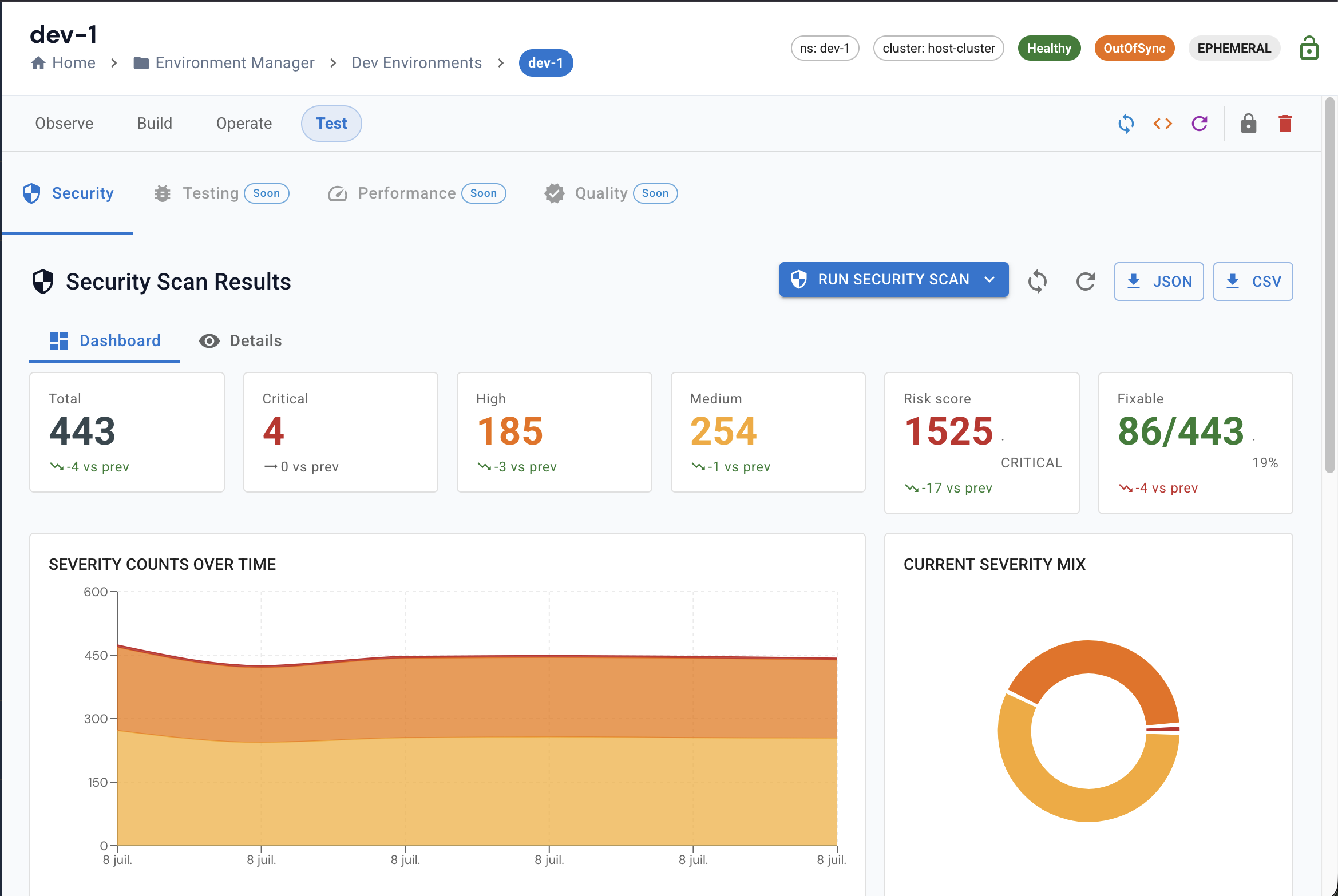
Know what you are shipping
Every image scanned on every build, with the counts kept over time so you can tell a fixed problem from a forgotten one.
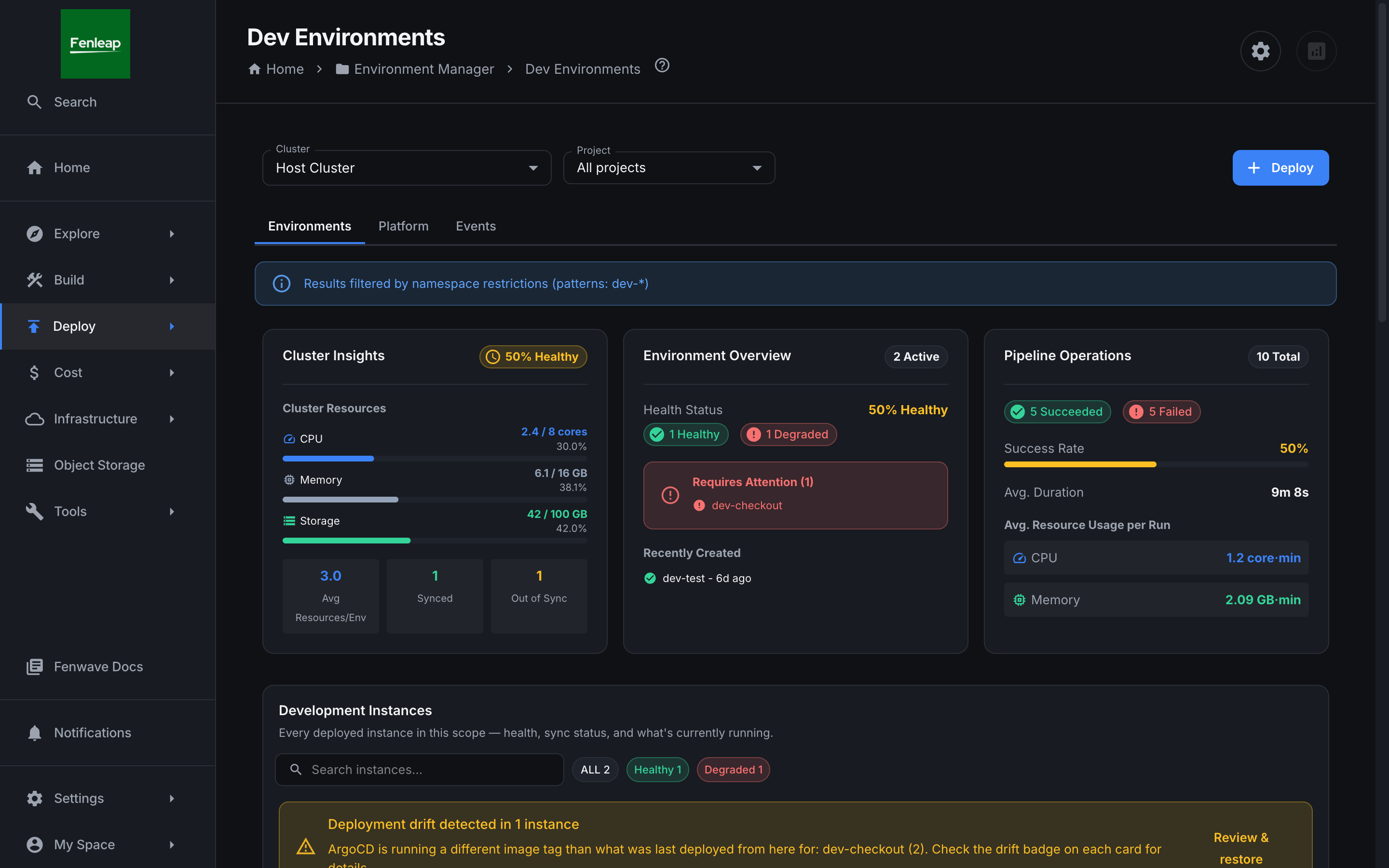
One screen your platform team no longer has to be
Cluster health, active environments, pipeline success rate and cost per run — scoped to what the person signing in is allowed to see. The notice across the top is the permission model doing its job.
20 capabilities, no roadmap fiction
Everything on this page exists in the product today. Where something is still in beta, it says so.
Ship faster, with every step under control
Environment Manager
A live environment for every branch, gone when you merge
Deployment Manager
Run the release, not just the deploy
Fenwave Flow
BetaA whole release, drawn once and launched in one click
Infrastructure
BetaCreate the cloud underneath from a wizard, not a ticket
Frontend Apps
BetaShip SSR and static frontends without a cluster
Shopify
BetaShip Shopify themes and apps like any other service
Pipeline Builder
Build CI/CD visually, ship it as real YAML
App Builder
New service, wired up, in the time it takes to name it
Fenwave Agent & DevApp
Your laptop’s Docker, on a dashboard
Know what runs, and who owns it
Integrations
Jira, Slack and Shopify wired into delivery
Service Catalog
Every service, its owner, and what breaks if it stops
TechDocs
Every service’s technical documentation, in one place
Architecture Explorer
The system diagram nobody has to redraw
Cost Insights
What the platform costs, broken down by who spent it
Kubernetes Admin
Read your cluster without kubectl access
Test Runner & Stress Testing
Run the suite against a branch, keep the evidence
Your cloud, your rules
Object Storage
Bucket access for people who will never open a cloud console
Database Console
Query the database without handing out the database
Security Scanner
Find the secret in the commit, not in the breach report
Platform Settings
Grant the access, not the credentials
See Fenwave on your own projects
Thirty minutes, on your repositories and your clusters. We will point out three requests your platform team would stop receiving as soon as next week.