

From code to production, without the friction.
Fenwave gives developers, testers, product and ops one place to build, test and release software — and to create the cloud it runs on. Everyone gets exactly the access their job needs: self-service where it is safe, approved and logged everywhere else.
Trusted by



Ship faster, with every step under control
A test environment, a release to approve, new cloud infrastructure: each request follows a clear path, with the right person approving at the right step. The wait disappears because the process is built in, not because someone worked faster.
From the first line of code to your customers, in four steps
Every change to your software goes through the same journey. Fenwave handles each step, so nobody has to open a ticket and wait for it to move forward — on AWS, Google Cloud and Azure alike.
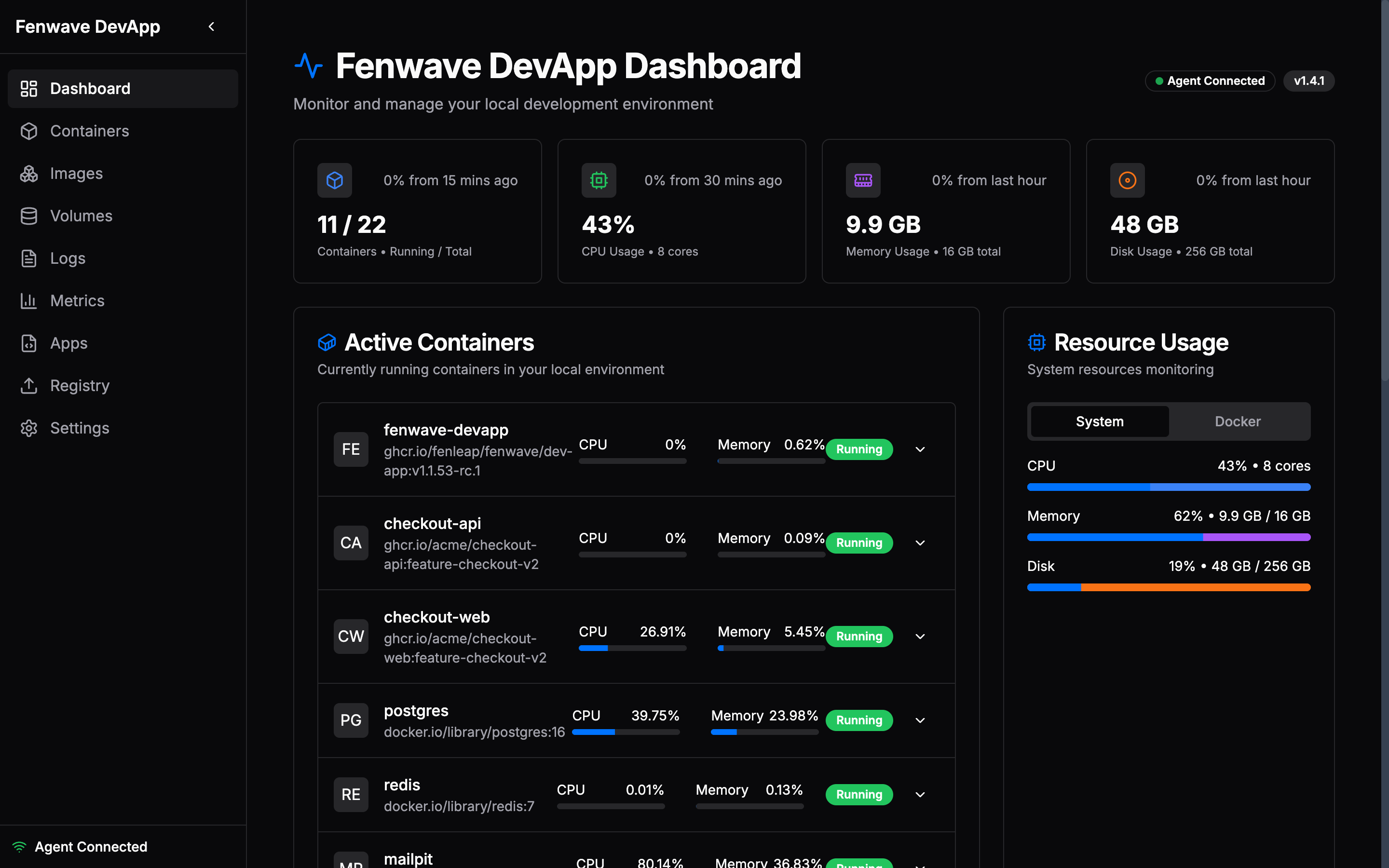 01Local
The whole app on your laptop
Sketch your app — website, API, database — on a canvas. Fenwave sets it up on your machine, ready to code against.
Under the hood: App Builder → Docker Compose + Helm chart · Fenwave Agent
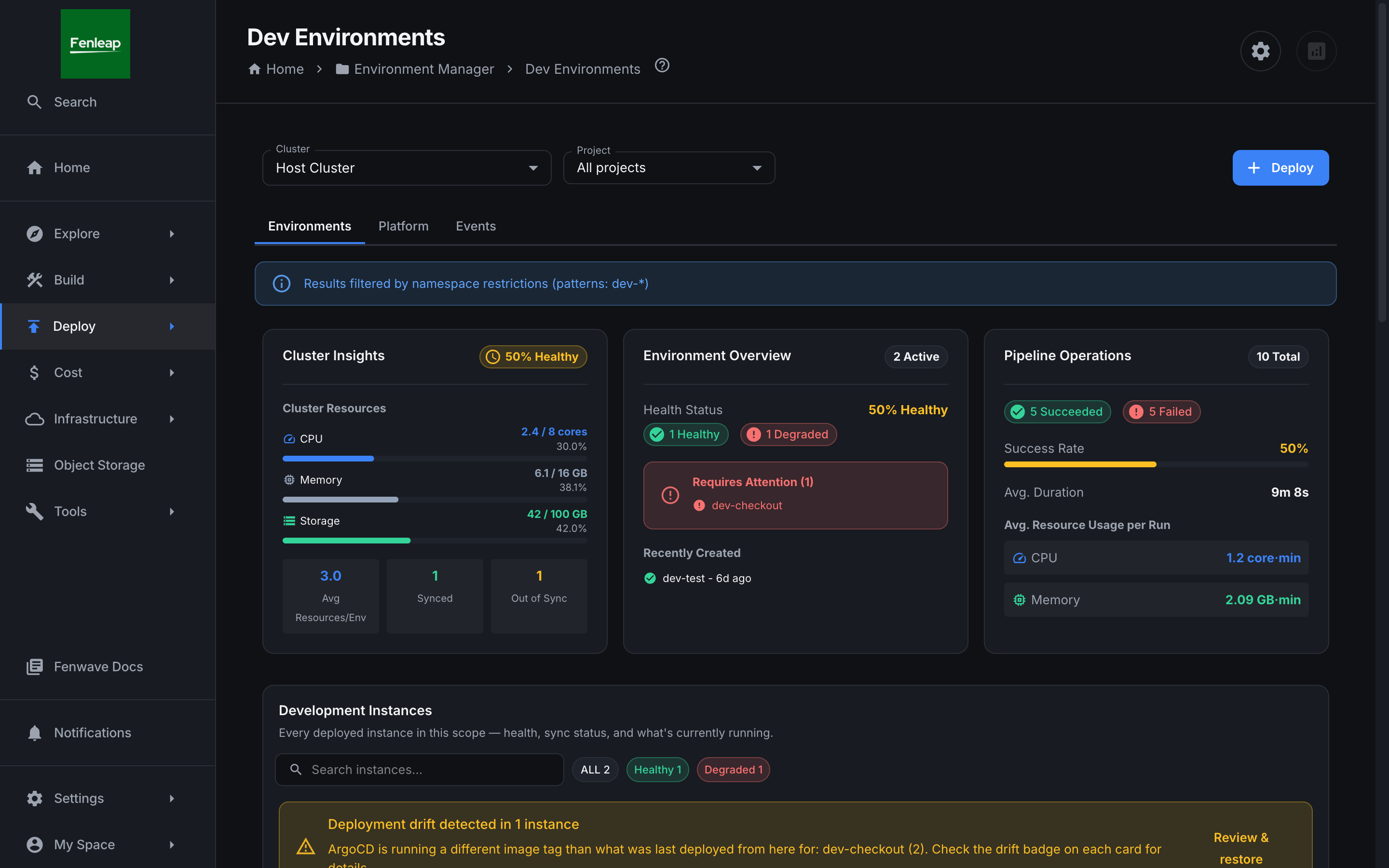 02Preview
A live link for every change
Each change gets its own private copy of the app to test and share. It pauses when nobody uses it and cleans itself up when the work is merged.
Under the hood: Isolated Kubernetes namespace per branch · sleep on idle · deleted on merge
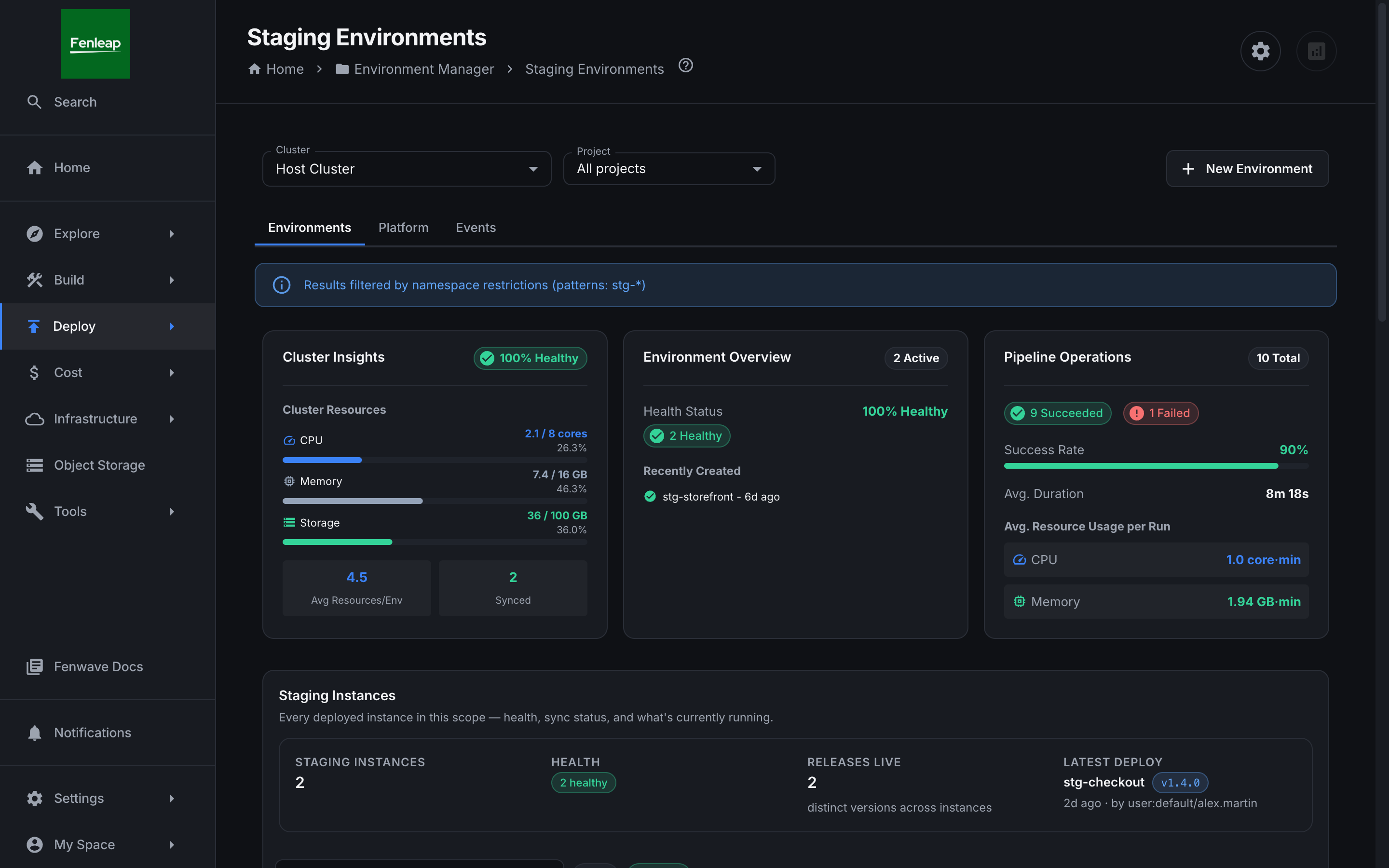 03Test
Checked before it moves on
Every build is tested and scanned for security issues automatically. Testers approve in Fenwave, not in a chat thread.
Under the hood: Your existing CI · image scan on every build · QA approval
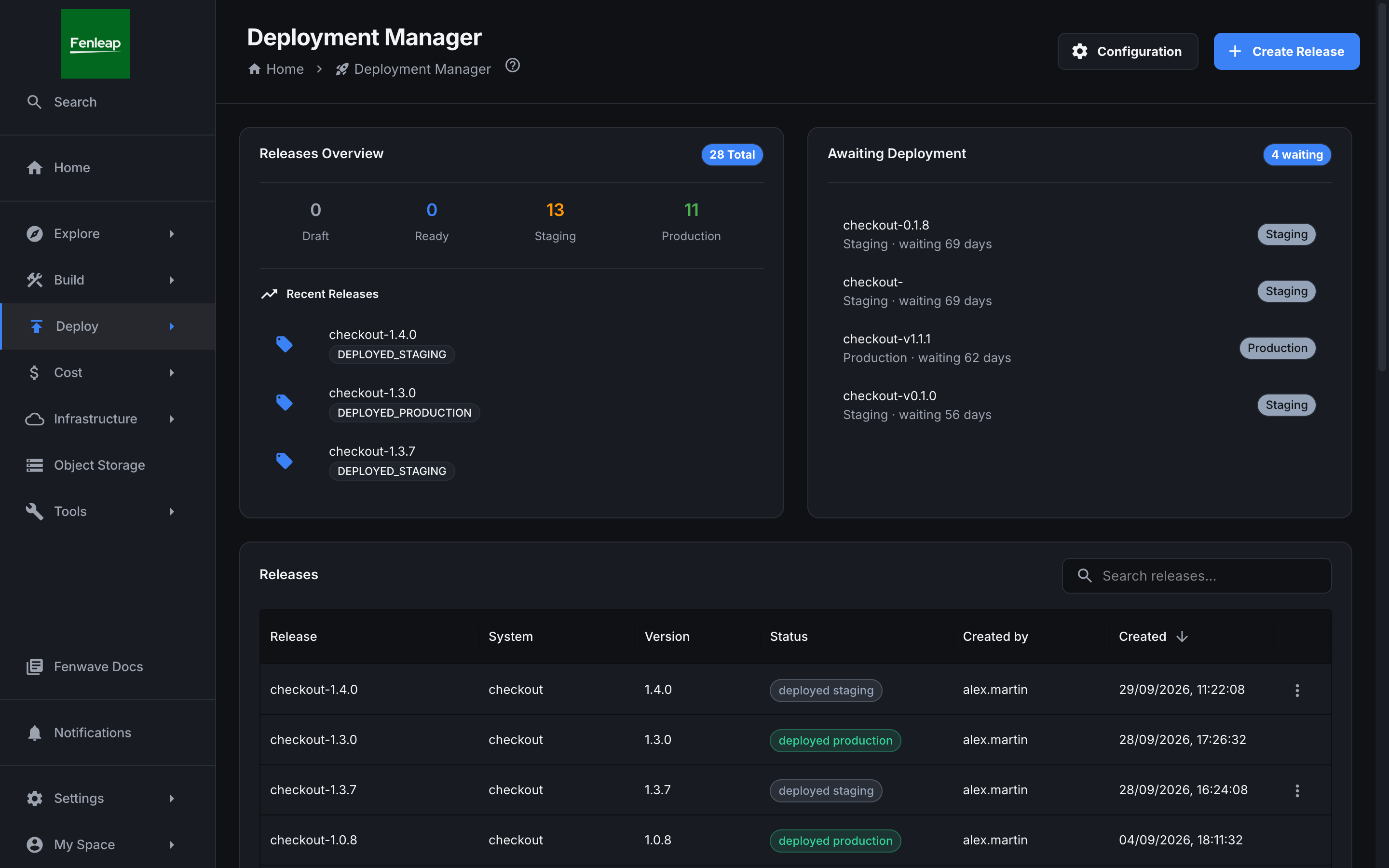 04Production
A release, not a leap of faith
The release is built from your tickets, approved by the right people and rolled out step by step.
Under the hood: GitOps via ArgoCD · scope from Jira · runbook with approval gates
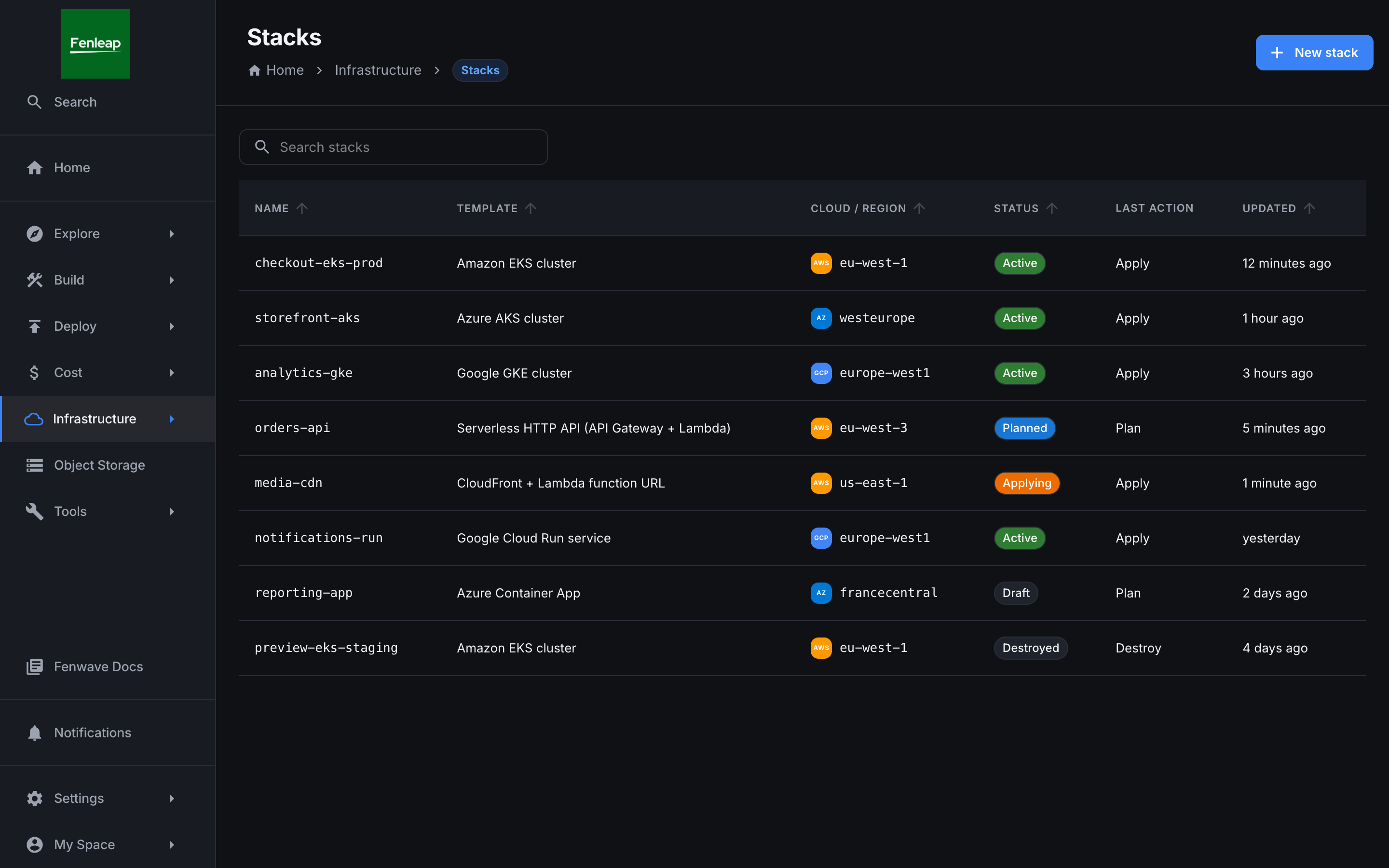
Cloud infrastructure from a form
Need a new cluster or cloud resources? Pick a template, see exactly what will change, approve. Nothing is created until it has been reviewed, and the records stay in your own cloud account.
Under the hood: Terraform · OpenTofu · Pulumi · state in your S3, Google Cloud Storage or Azure Blob bucket
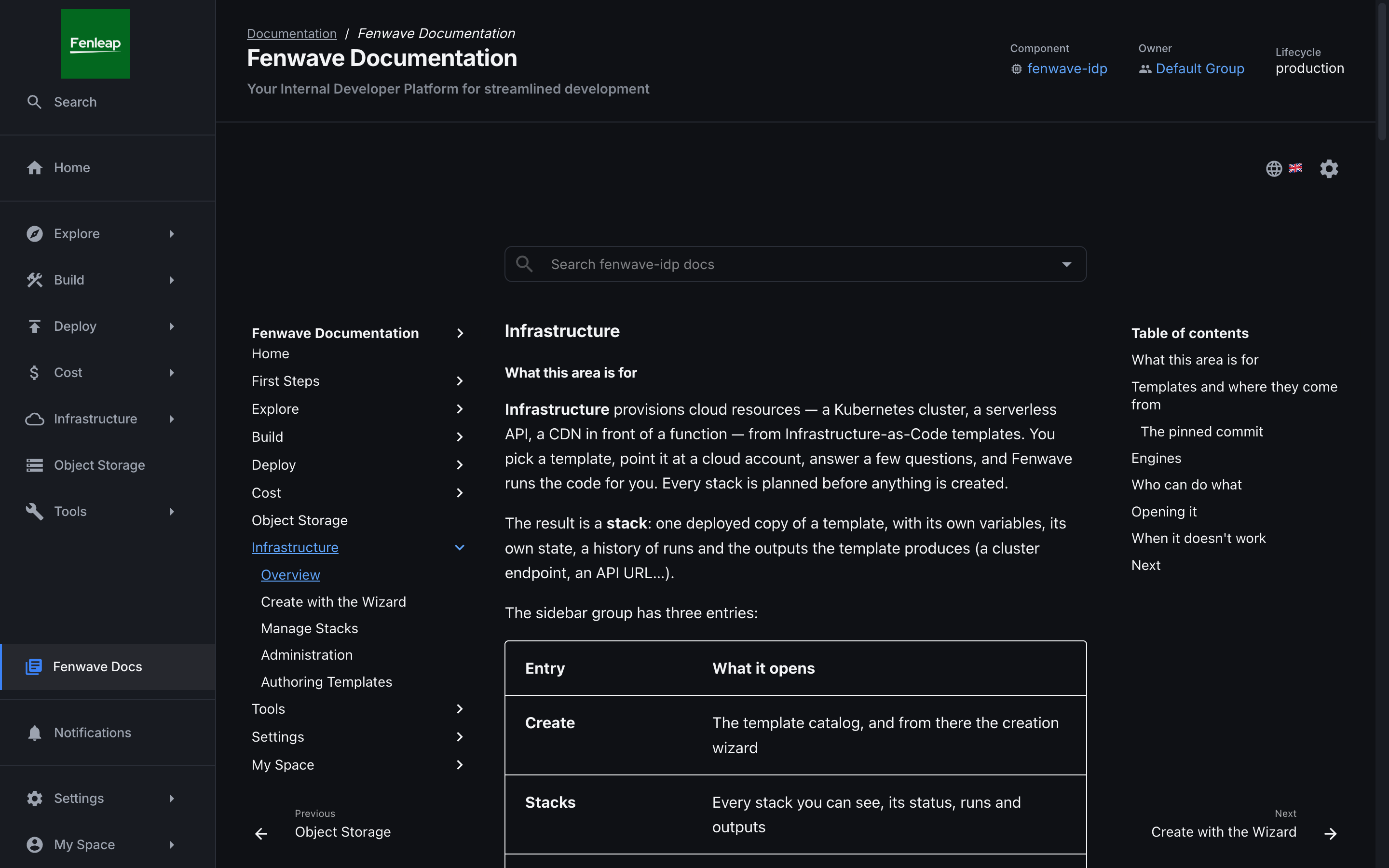
All the technical docs in one place
Each service’s documentation sits next to its code, its owner and what it depends on. One place to search, instead of a wiki per team.
Under the hood: Docs-as-code from each repository · TechDocs · searchable catalog
See it before you book anything
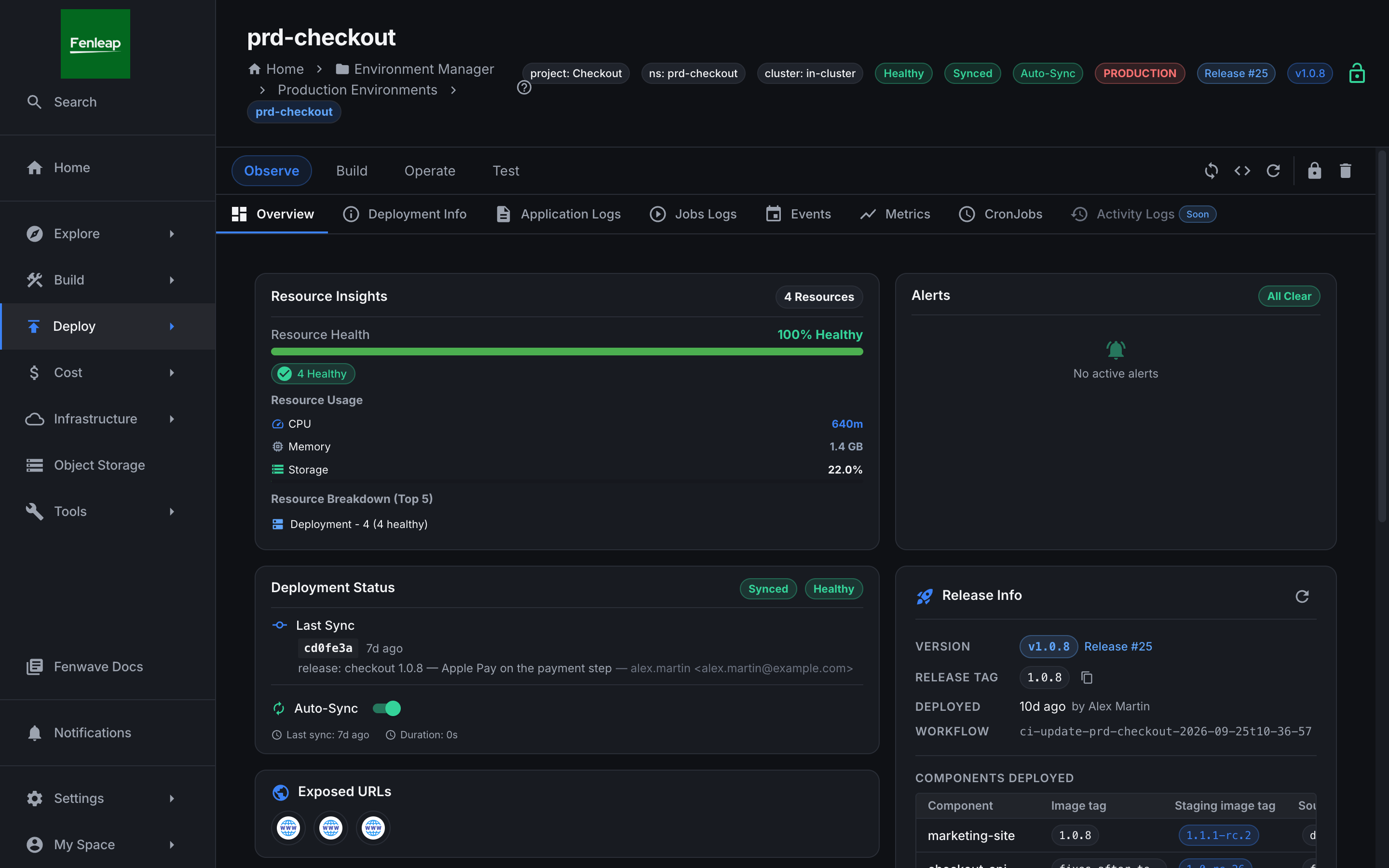
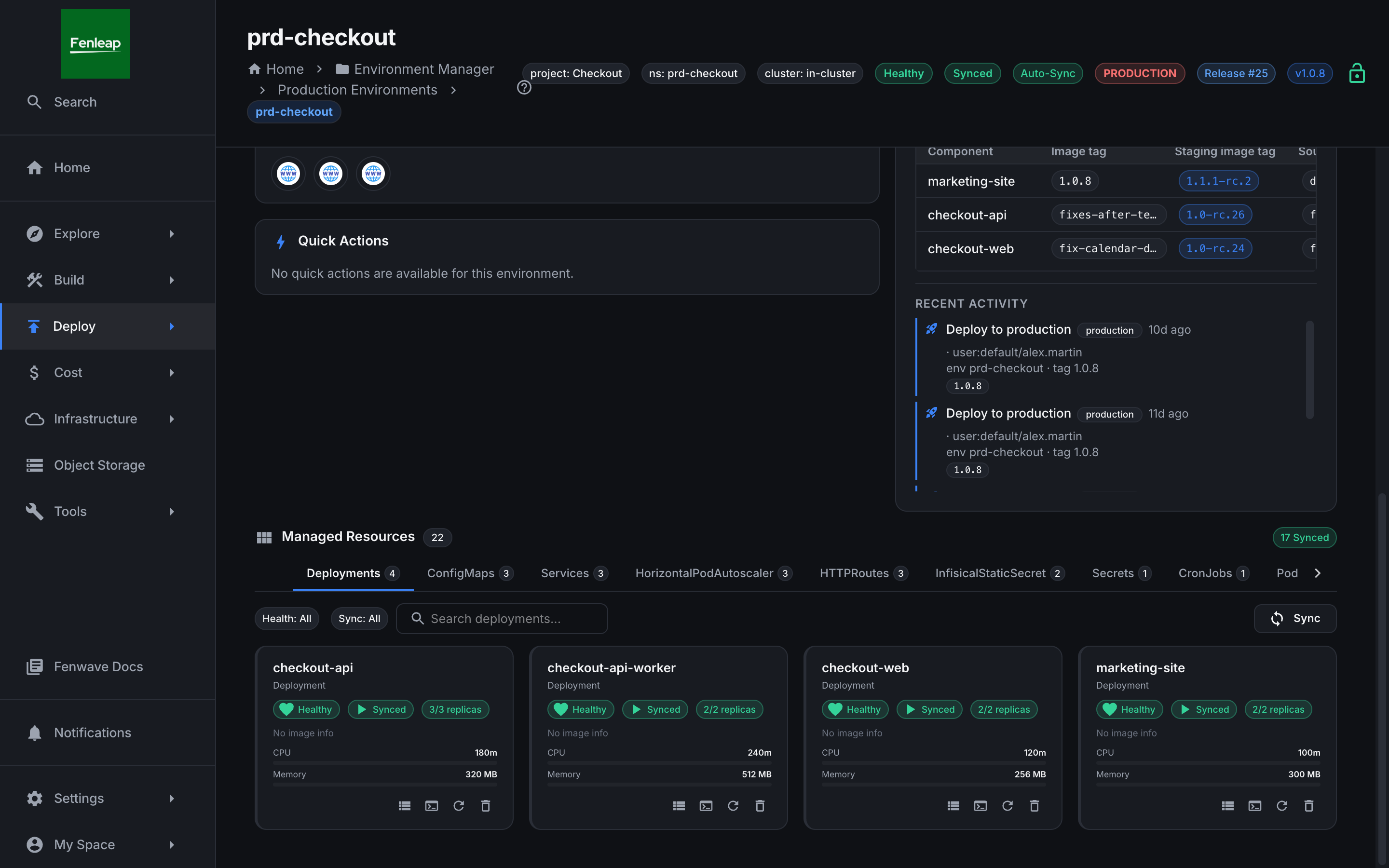
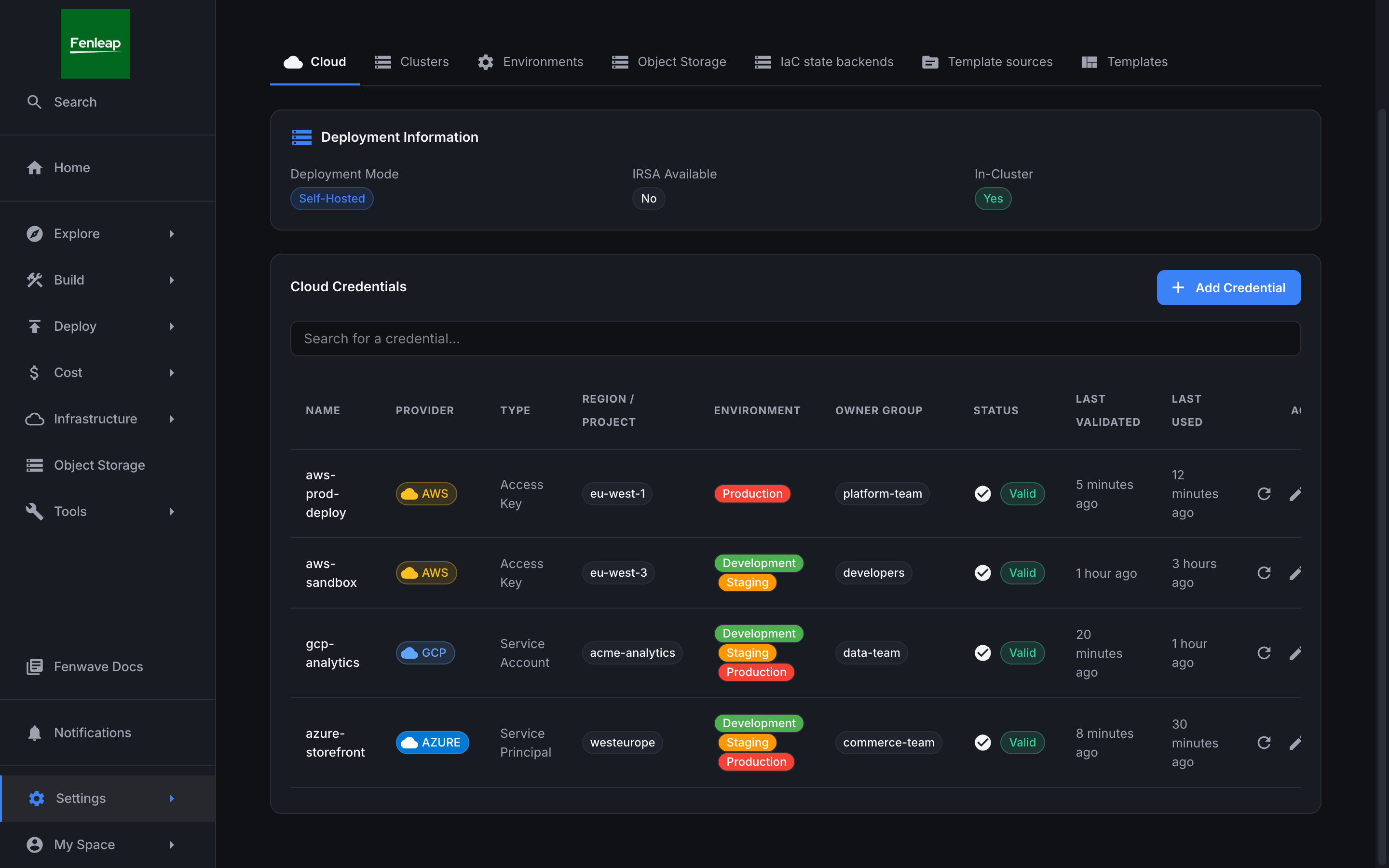
Real screens from Fenwave as it ships, with demo data: the app on a laptop, live environments, releases, cloud infrastructure, access across AWS, Google Cloud and Azure, and the documentation.
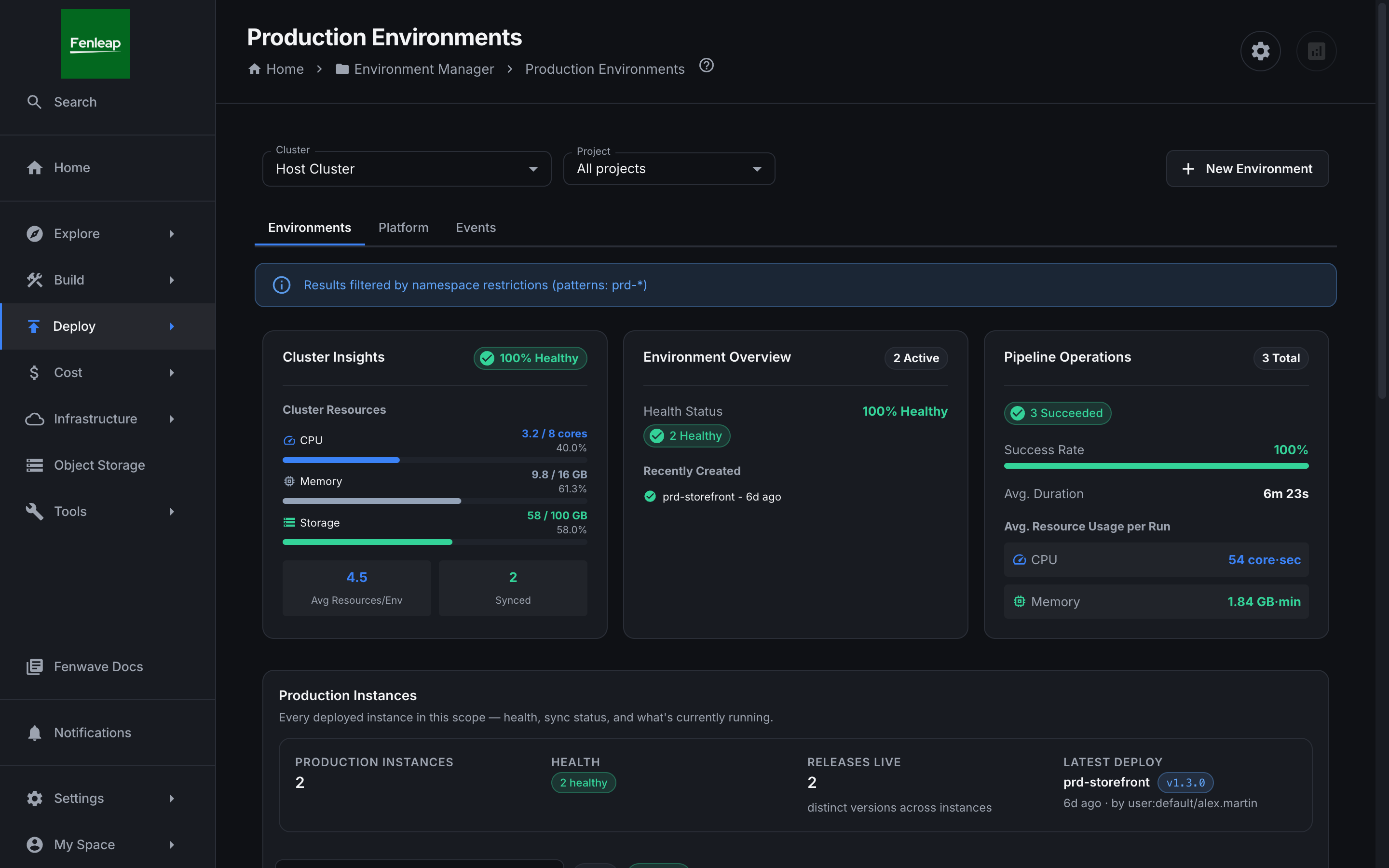
The Fenwave Agent runs the stack on your laptop: containers, images, volumes, logs and terminals on one dashboard, set up by a CLI login.
Turn your release checklist into a single button
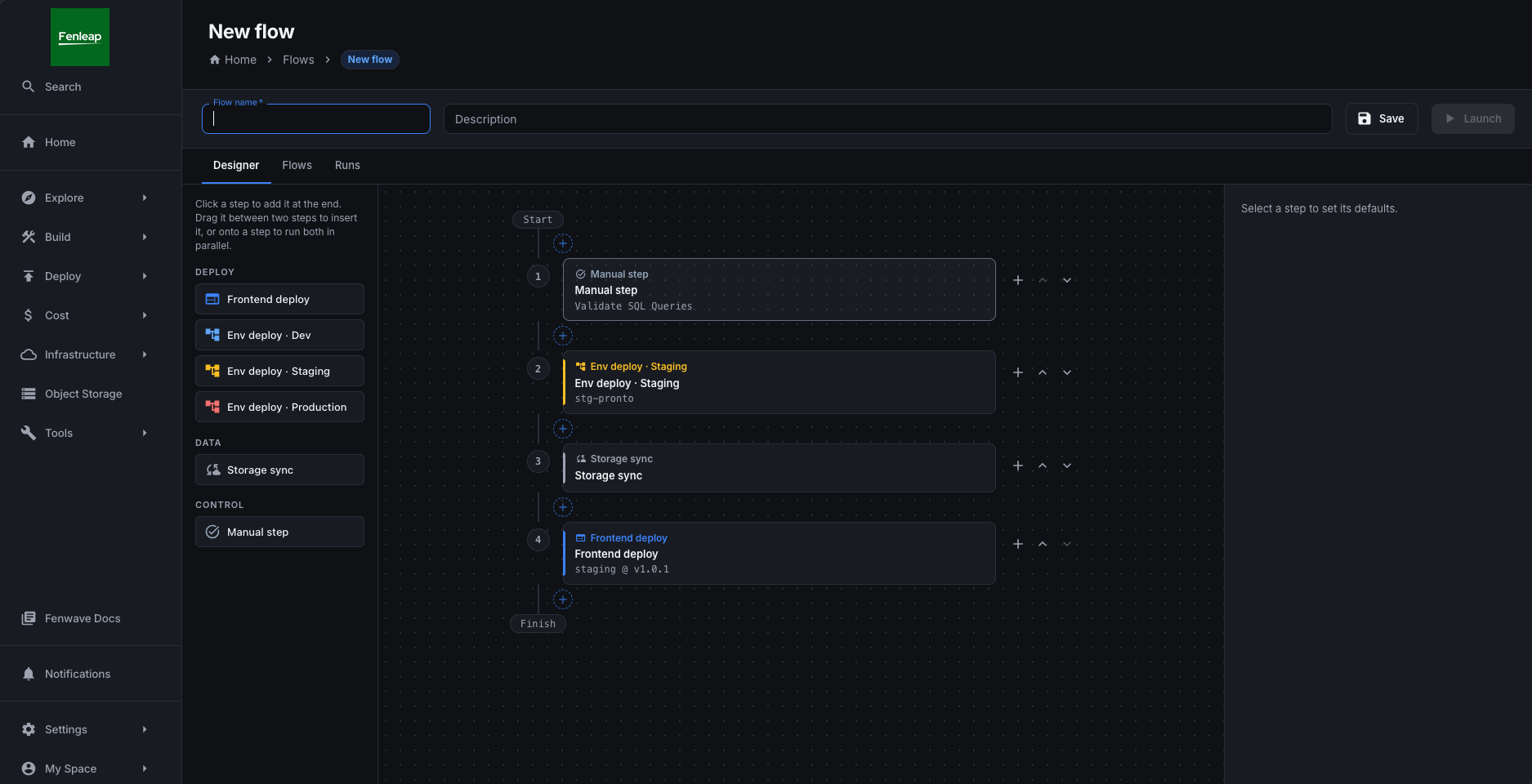
Most releases follow the same list: update three websites, put the backend live, copy some files, clear a cache by hand. Draw that list once. Next time, fill in the versions and press launch — every step runs on its own, with the permissions of the person who launched it, and pauses wherever a human needs to check.
- 01
Draw it once
Frontend deploys, environment deploys to dev, staging or production, storage syncs and manual steps, laid out as numbered stages.
- 02
Faster, side by side
Steps in the same stage run in parallel. A failure blocks only what depends on it; the rest keeps going.
- 03
A person where it matters
Manual steps carry instructions and a checklist, pause the run, and ping Slack until someone marks them done.
- 04
Launch, follow, retry
Untick what is not needed this time, confirm production explicitly, retry or skip a step, and relaunch with the same values.
Create cloud infrastructure safely, reviewed before anything changes
Pick a ready-made template and a cloud — AWS, Google Cloud or Azure. Fenwave checks it for security mistakes, draws exactly what will be created, changed or deleted, and waits for approval. Engineers get Terraform, OpenTofu and Pulumi run as a pipeline, with the state kept in your own bucket.
- Terraform
- OpenTofu
- Pulumi
- AWS CDK · AWS only
● Selected: the node pool, and every link that leads to its replacement
# aws_eks_node_group.default must be replaced
-/+ resource "aws_eks_node_group" "default" {
  ~ instance_types = ["m5.large"] → ["m6i.large"]
    # forces replacement
  ~ node_count = 3 → 4
    launch_template.user_data = (sensitive)
}
- Backend
- s3://acme-tf-state/eks-prod.tfstate
- Credential
- Cross-account role (STS)
- ✓ init
- ! fmt
- ✓ validate
- ✓ tflint
- ✓ trivy
- ✓ plan
- ✓ policy
- … approval
- apply
Lint, security scan and policy run before anything changes. Production waits for a second person, and the apply runs exactly the plan they approved.
Preview of the plan, state and checks views being built. Resource names come from the official EKS, GKE and AKS templates.
Start from a template
BetaTerraform, OpenTofu and Pulumi templates — plus AWS CDK — from an official or community catalog. Plan, apply and destroy are separate permissions, with a run history per stack.
Mistakes caught before they ship
Coming soonfmt, validate, tflint, a Trivy security scan and OPA policies on the plan: public storage, open ingress, missing encryption — the same rules on all three clouds. Warn on dev, block on production.
See the change before it happens
Coming soonEvery change as a graph, grouped by account and module, coloured by create, update, replace and destroy. Select a resource to see its blast radius and its diff, with secrets masked.
Only what was approved runs
Coming soonThe plan is stored and applied as is — refused if the state or the commit moved. Four-eyes approval per environment, and protected stacks that refuse a destroy.
Know when someone changed it by hand
Coming soonThe live state drawn on the stack, compared run after run. Scheduled refreshes flag drift made outside Fenwave and tell Slack once, not every night.
Your data, no permanent keys
BetaState in your own S3, Google Cloud Storage or Azure Blob bucket, never in the platform. Cross-account roles, workload identity and managed identity instead of long-lived keys.
Works with the tools you already use
Fenwave sits on top of your tools, not in place of them. Nothing to migrate, no workflow to rewrite, no team forced to switch tools.
Keep your pipelines
Fenwave runs the build tool you already use, shows every run step by step, and controls who may launch what. Your CI stays where it is.
- GitHub Actions
- GitLab CI
- Bitbucket Pipelines
- Argo Workflows
- Jenkins
- Azure Pipelines
Starting from scratch? Use Fenwave’s ready-made pipelines — build, test, scan and deploy paths that follow best practice, instead of YAML copied from another repository.
- Node.js
- Python
- Docker
- Kubernetes
All your files, one screen
S3 and Google Cloud Storage in a single file browser, with Azure Blob on the way. Access is granted per storage, so nobody needs a cloud account or an access key to download a file.
- AWS S3
- Google Cloud Storage
- Azure Blob StorageSoon
AWS, Google Cloud, Azure — or all three
Each cloud is supported equally: EKS, GKE and AKS clusters, Azure Repos and Pipelines, ECR, Artifact Registry and ACR. Connect one, two or all three, with one portal and one set of permissions over everything.
- AWS
- Google Cloud
- Azure
Built for the whole team, not only developers
Ten roles sign in to Fenwave, each with the right access. Three of them have never opened a cloud console.
- Developers
- DevOps & SRE
- Platform engineering
- QA & test engineers
- Security & compliance
- Data & analytics
- Product managers
- Marketing & content
- Customer support
- Engineering leadership
One price per platform, not per seat
Based on your team size, your number of clusters, and whether you host it or we do.
See Fenwave on your own projects
Thirty minutes, on your repositories and your clusters. We will point out three requests your platform team would stop receiving as soon as next week.