

Pipeline Builder
Build CI/CD visually, ship it as real YAML
Drag steps onto a canvas, connect them into a graph, and Fenwave generates the workflow your runners actually execute — you can read the YAML before you save it. Twelve ready steps cover build, test, deploy, notify and wait; one of them simply triggers a pipeline you already have, so adopting the canvas never means abandoning the CI you wrote. Anything missing is a custom script step, and a step you build once is reusable across every pipeline.
In this capability
- Visual DAG editor — drag steps, draw the dependencies, no hand-written YAML
- Build steps: Docker via Kaniko, NPM, Maven
- Test steps: unit tests and Trivy vulnerability scanning
- Deploy steps: Helm install/upgrade, kubectl, ArgoCD synchronisation
- Trigger an existing Bitbucket Pipeline as a step — keep the CI you already wrote
- Custom script steps for anything the catalog does not cover
- Preview the generated YAML before you save — nothing is hidden from you
- Workflow parameters, so one pipeline serves several services
- Slack notifications and wait timers as first-class steps
- Runs on the runner you already have — GitHub Actions, GitLab CI, Bitbucket Pipelines, Argo Workflows or Jenkins
- Triggers on push, pull request or a schedule
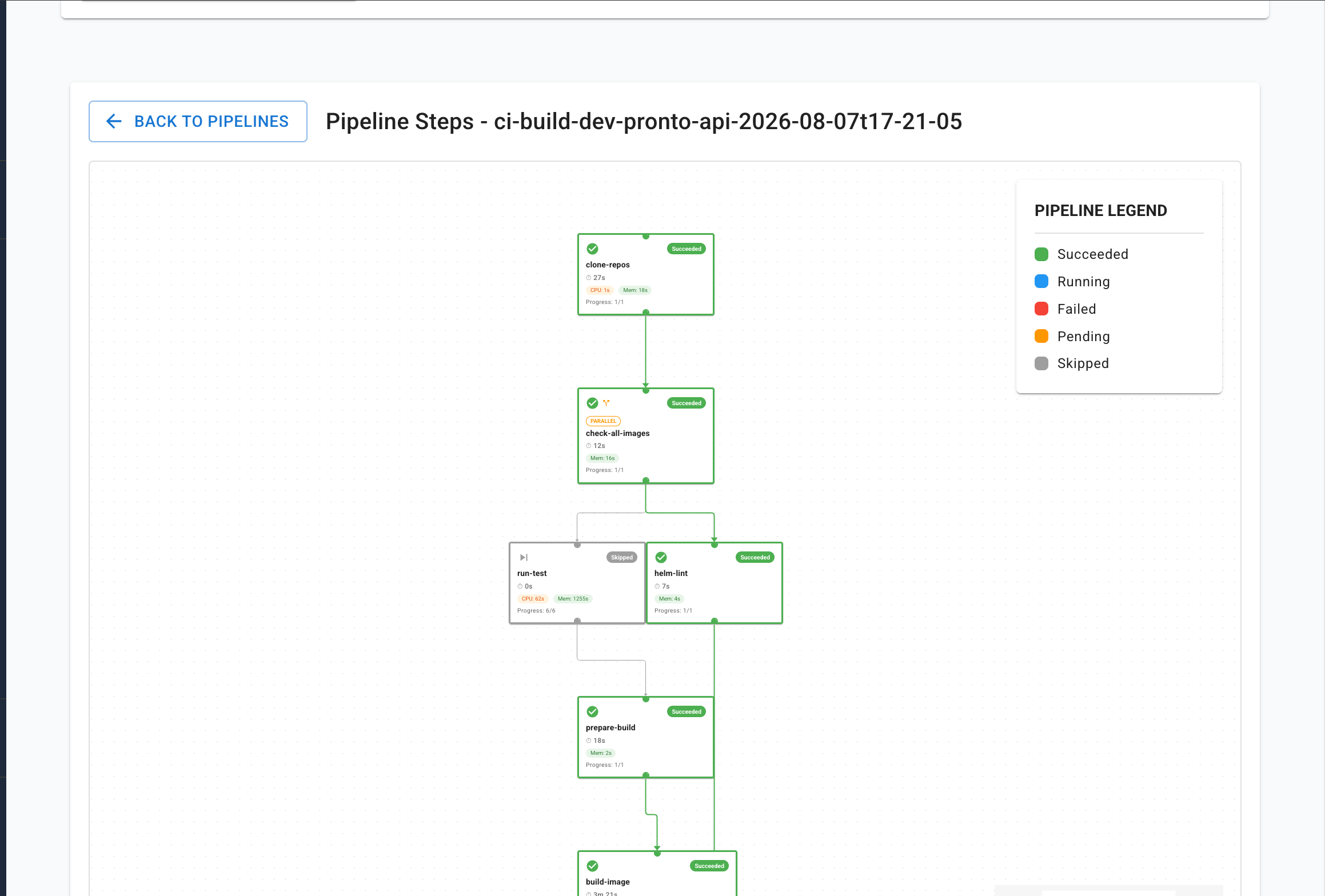
- Per-step logs streamed live, with the CPU and memory each step used
In Fenwave
Build›Pipeline Builder
Built on
- GitHub Actions
- GitLab CI
- Bitbucket Pipelines
- Argo Workflows
- Jenkins
Where teams use it
More in Build & test
- Test Runner & Stress TestingRun the suite against a branch, keep the evidence
- Security ScannerFind the secret in the commit, not in the breach report
See Fenwave on your own projects
Thirty minutes, on your repositories and your clusters. We will point out three requests your platform team would stop receiving as soon as next week.